MP3 Cutter & Ringtone Maker Ap1.0.6
Publisher Description


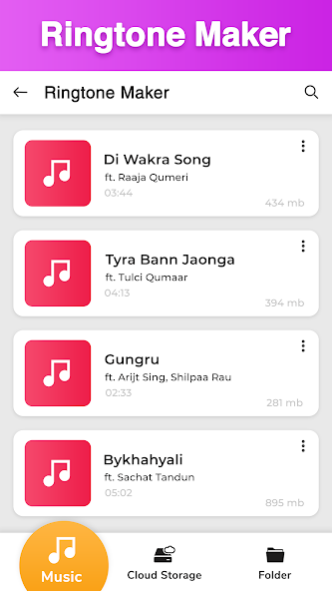

Create your own free music ringtones through music cutter or audio cutter. MP3 Cutter & Ringtone Maker: Free Ringtones is a perfect mp3 cutter app that can easily trim music, mix music, merge music and cut music. And when all these steps are done, then you can easily make a best ringtone out of these all merger, cutter and trimmers.
Free music ringtones maker supports bitrate and do volume adjustments as well according to your own taste and create free ringtone of your choice. The quality of the audio mp3 music will remain high even after it goes through with multiple procedures like, mp3 cutter, audio editor, audio mixer, music merger and many more. Mp3 cutter and ringtone maker can be used for multiple purposes in which you can set these best ringtones as your notification tone or alarm tone. As you can easily customize these free ringtones through music cutter and audio cutter in just few seconds. This powerful mp3 cutter is used to create a best ringtone that can be shareable with your friends and family.
Mp3 cutter and ringtone maker is a multi-functional ringtone maker app that use music editor, audio editor, audio mixer, audio merger and audio cutter to generate best ringtones. Ringtone maker is a more fascinating music cutter app for music lovers who love to do experiment with music or audio. One can render in ringtone maker after completing the duties of music cutter or audio cutter. Ringtone maker is all in one mp3 cutter app that creates best free ringtones with few clicks. All the functionalities in ringtone maker that include: music cutter, music editor, audio cutter, audio editor, audio mixer and audio merger are very easy to use and operate. With ringtone maker app, you can generate professional and exclusive best ringtones by using music cutter, audio editor or audio cutter. After done with audio cutter, music cutter or music editor, you can delete the free ringtones which you make from ringtone maker.
Features of MP3 Cutter & Ringtone Maker: Free Ringtones
• Generate free ringtones through mp3 cutter.
• Friendly UI of free music ringtone maker app.
• Availability of audio mixer and audio merger.
• Best music editor or audio editor to use.
• Quick mp3 cutter that makes free ringtones.
• Mp3 cutter and ringtone maker supports bitrate.
• Volume adjustments can be done in mp3 cutter.
• Customize free ringtones with music editor.
• Manage contact ringtones free with audio editor.
• Set notification tone after done with music cutter.
• Use audio cutter or music cutter to set alarm tone.
Download MP3 Cutter & Ringtone Maker: Free Ringtones that can generate customize free ringtones through music editor, audio mixer, audio merger or audio editor.
About MP3 Cutter & Ringtone Maker Ap
The company that develops MP3 Cutter & Ringtone Maker Ap is Theta Mobile. The latest version released by its developer is 1.0.6.
To install MP3 Cutter & Ringtone Maker Ap on your Android device, just click the green Continue To App button above to start the installation process. The app is listed on our website since 2020-09-04 and was downloaded 19 times. We have already checked if the download link is safe, however for your own protection we recommend that you scan the downloaded app with your antivirus. Your antivirus may detect the MP3 Cutter & Ringtone Maker Ap as malware as malware if the download link to com.thetamobile.ringtone.maker.cutter is broken.
How to install MP3 Cutter & Ringtone Maker Ap on your Android device:
- Click on the Continue To App button on our website. This will redirect you to Google Play.
- Once the MP3 Cutter & Ringtone Maker Ap is shown in the Google Play listing of your Android device, you can start its download and installation. Tap on the Install button located below the search bar and to the right of the app icon.
- A pop-up window with the permissions required by MP3 Cutter & Ringtone Maker Ap will be shown. Click on Accept to continue the process.
- MP3 Cutter & Ringtone Maker Ap will be downloaded onto your device, displaying a progress. Once the download completes, the installation will start and you'll get a notification after the installation is finished.
